
A saved configuration is not processing readiness, and a viewer cannot upload.
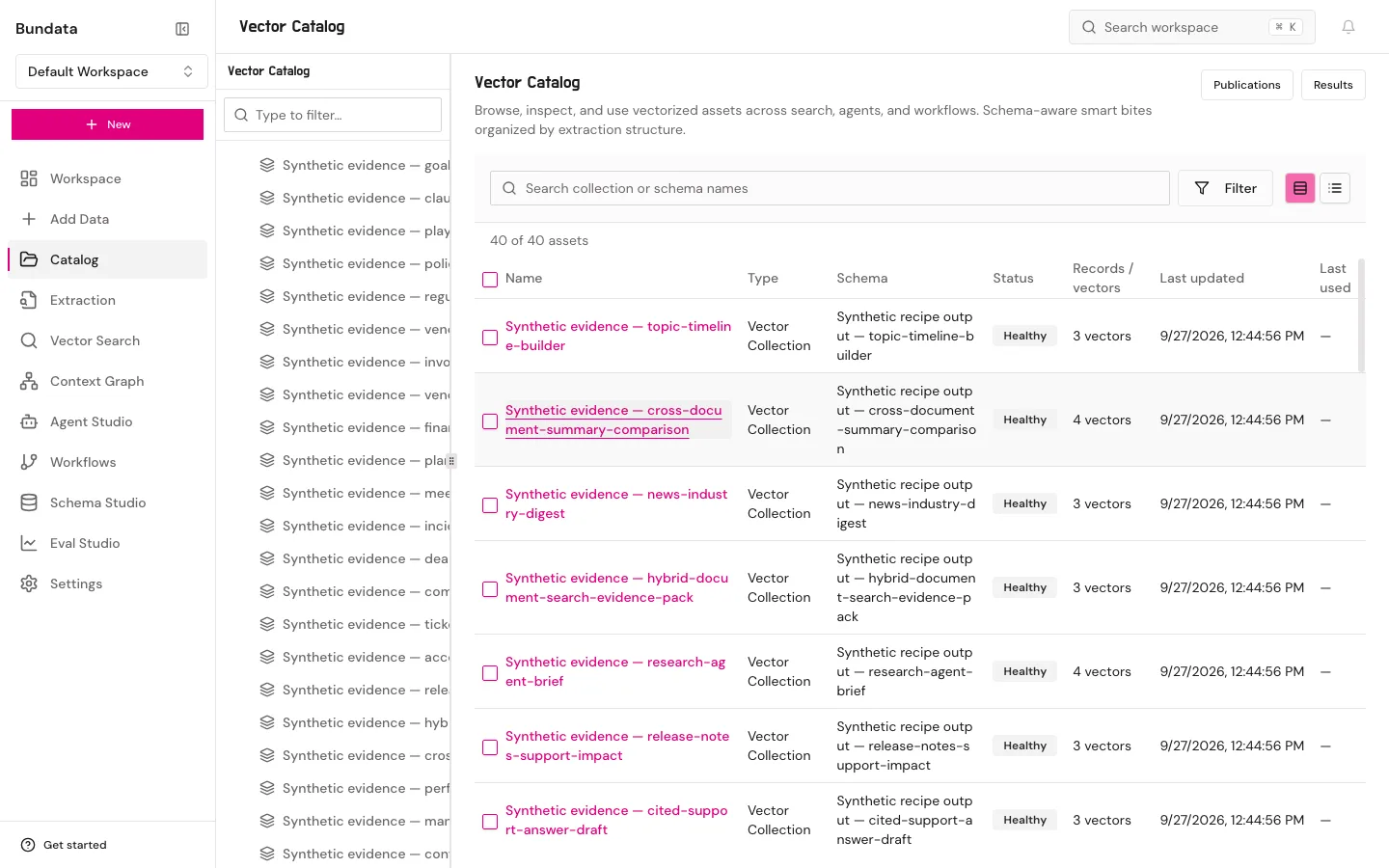
Where to work
Pick the workspace and the screen before you copy a request. Reading and setup on this page take about 10 minutes. No job is queued here.
Purpose
You leave with a workspace id, a collection id, and a role that matches the next recipe. Prerequisite: an account that can sign in, from Access.
Mode and role
Stored workspaces keep documents and vectors. Non-retaining workspaces do not keep a catalog of customer content. Upload, extraction, and search recipes in this cookbook require stored mode. Viewers can open many pages and cannot upload. document:upload is required for the upload recipe. collection:read and document:read are required to read content. agent:run is required for semantic search and grounded answers.
Screens
Catalog is the collection library. Schema Studio is the field contract. Context Studio (/platform/context-graph) is the hub for Explore, Quality review, Library, Context sets, Data, and Enrich. Context Engine (/platform/context-engine) manages knowledge layers, answer switches, and ranking profiles. Workflows is the graph. Settings → AI providers holds organization provider keys (OpenAI, Anthropic, Google), not a Bundata login token, while Settings → Agent access creates scoped bdk_… credentials for /api/agent/v1. Do not turn a workspace on yourself if enrollment or processing is closed. Ask an owner.
Check
You can say which workspace mode you are in, and which permission the next call needs, before you send it.