
Catalog Summarization retrieves from one collection and writes a short cited summary.
Summarize a collection
Catalog Summarization (JA) is the short analysis workflow. You give it a topic. It retrieves Smart Bites from one collection and writes a cited Japanese summary of at most five sentences. Missing evidence is reported. It is not filled in.
What this workflow does
The canvas uses the same three stages as RAG chat:
- Retrieve catalog context
- Grounded answer
- Store result
The difference is the instruction on the answer step. This recipe summarizes inside the retrieved bites. It does not answer a free-form question from outside that evidence.
Before you start
You need a stored workspace and one indexed collection on a single embedding profile. The answer schema is the same shape as RAG chat: an answer string plus a citations array. Index a collection is the step that gets a collection to Indexed before you summarize it.
Bind the collection
- Open Workflows, then Browse templates.
- Open Catalog Summarization (JA).
- Click Create workflow.
- In Template binding, choose the collection, leave or change topK, and pin the answer schema and version.
- Click Save graph.
The binding dialog matches RAG Chat. The collection, topK, schema, and version are the fields. See RAG chat if you want that dialog pictured on its own.
Read the canvas
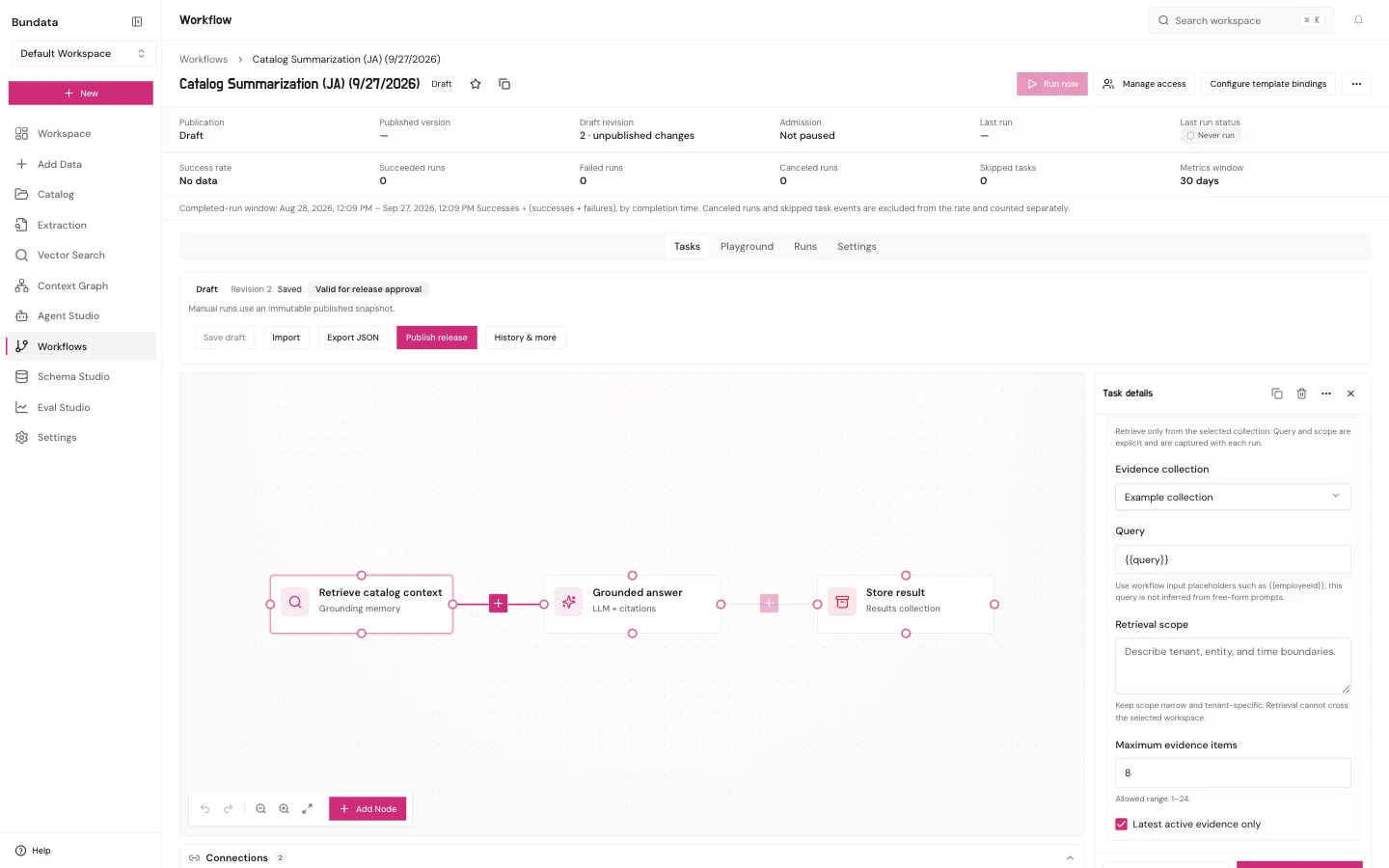
Open Retrieve catalog context:
- Evidence collection is the collection from Template binding.
- Query stays
{{query}}. On this recipe, that text is the topic you want summarized. - Retrieval scope starts empty. Fill it and click Apply to draft. An empty scope fails when a run reaches this step.
The summary stays inside the bites this step returns. Five sentences is the limit built into the recipe.
Compare documents
Cross-Document Summary Comparison is the longer analysis. It is a different template and a different binding dialog. It summarizes each document you admit, then compares agreements, disagreements, and gaps across that set. It needs two to eight documents, and it needs human review. Creating the template does not compare anything until you bind those documents, publish, and run. The output is not an automatic decision.
Publish and run
- Click Publish release.
- Open Playground, type the topic, and click Run.
Playground uses the published release. Last run status is the record. A cited summary with missing evidence called out is the result you want. An uncited paragraph is not.