
Catalog index update generates Smart Bites for one collection, then refreshes that collection's vector index.
Index a collection
Catalog index update is the workflow that makes a collection searchable. It generates Smart Bites from the documents already in that collection, then updates the vector index. Creating the template does not index anything. The run does.
What this workflow does
The graph has two steps, in order:
- Generate Smart Bites reads the collection you bind.
- Index evidence writes the vector index for that same collection.
Use a collection that already has documents. The embedding provider, model, and dimensions in the binding dialog must be the profile that collection already uses. Changing them here does not migrate an existing index.
Before you start
You need a stored workspace and one indexed collection. Non-retaining workspaces have no workflows.
If the collection has no documents yet, upload them in Extraction Studio first. This workflow does not upload files.
Create the workflow
- Open Workflows.
- Choose Browse templates.
- Open Catalog index update.
- Click Create workflow. Template binding opens.
- Under Collection, choose the collection.
- Set Embedding provider (
openai,googleforgemini-embedding-001at 3,072 dimensions,local_embeddinggemma, ormongodb_voyage), Model, and Dimensions to that collection’s profile. - Click Save graph.
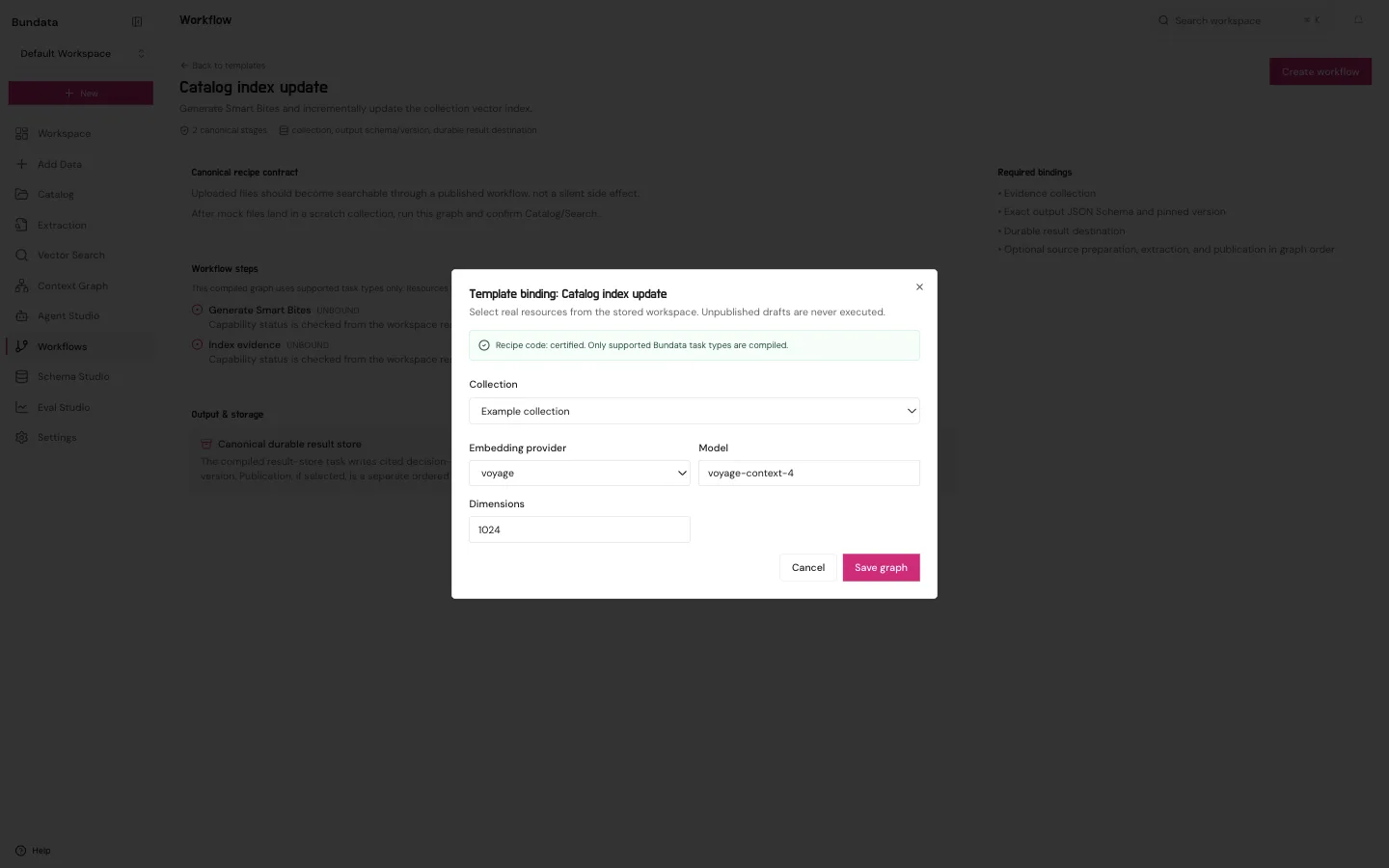
Save graph opens the new workflow. The header says Draft. Last run is Never run. Run now stays unavailable until you publish.
Read the canvas
The Tasks tab is the graph.
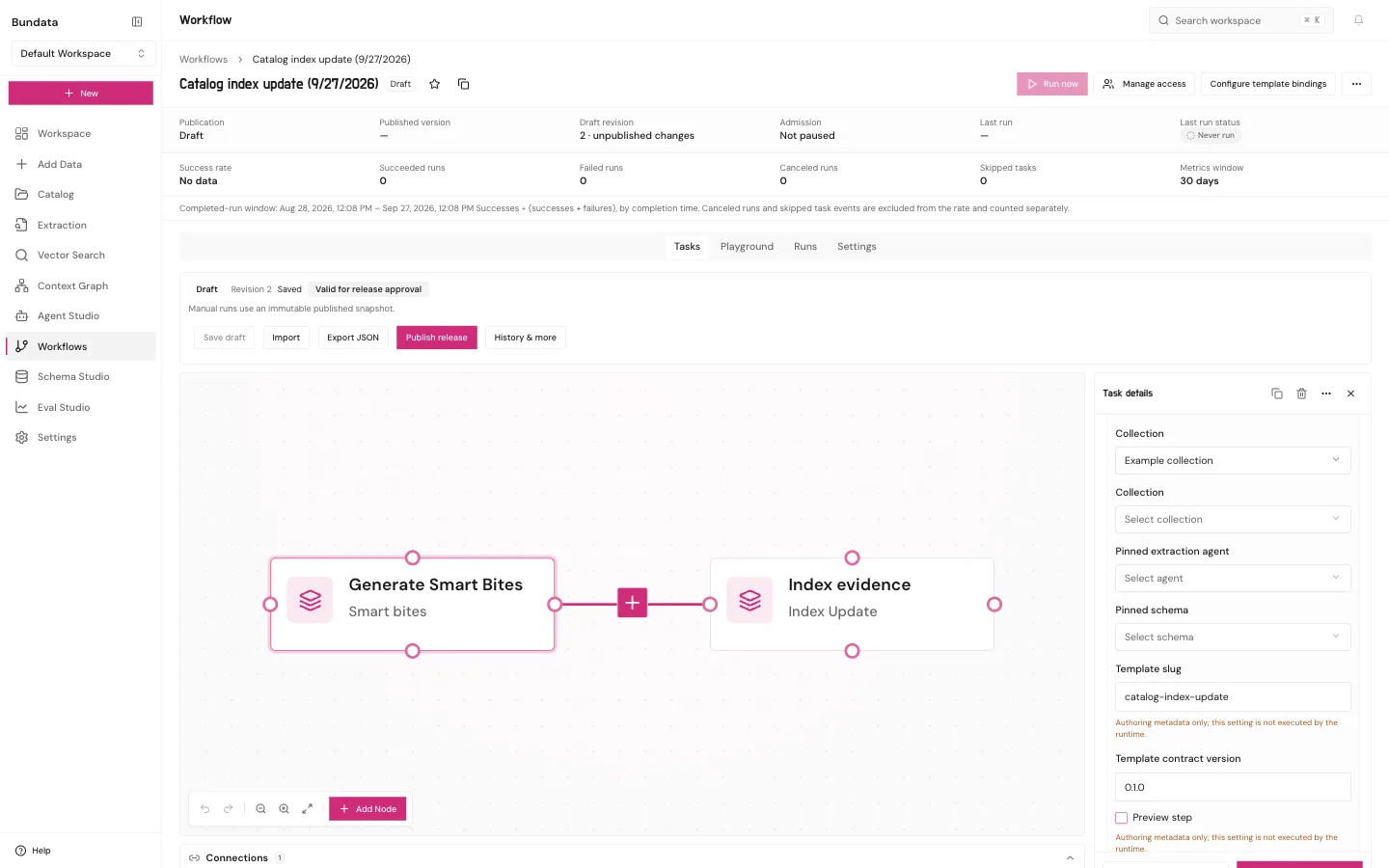
Click Generate Smart Bites. Task details shows the collection from Template binding. You do not need to pick an extraction agent for this recipe.
A missing field on a node means that step is not ready. Fix it before you treat the arrow as a finished index. Saving the draft still does not run it.
Publish and run
- Click Publish release. This stores the snapshot Run now will use.
- Click Run now, or open the Playground tab and click Run.
Playground runs the published release. Edits you have not published are not part of that run. Last run and Last run status on the workflow are the record.
Where to read the result
Open the collection in Catalog. The status you want is Indexed. A pink node on the draft is not that status. The Playground history and the Runs tab show whether this run finished.